
I’m really interested in how computing is being taught in primary schools. The new programme of study has been in place for just over four years. Schools have had the chance to think about training for teachers, new schemes of work, how to repurpose existing equipment and whether new equipment is needed. (Some may have done this, some may not).
Specifically, I’m interested in the computer science strand of digital literacy which looks at writing algorithms, programming and understanding hardware and software for standalone and connected computers. Some of these concepts can by taught by using physical computing. Here’s my definition of what physical computing means:
Physical computing is an educational context within computer science which uses hardware and software to create tangible constructs that connect the real, physical world and the virtual, digital world.
Physical computing is about design and creation of something visible that can be seen, touched and heard. Physical computing connects two worlds together by creating ideas and solutions. Physical computing uses both hardware (such as robots, construction kits, micro-controller boards and microprocessor boards) and software (such as writing code in a programming environment or using an interface to drag and drop a series of commands).
I’ve been researching the use of physical computing devices at Key Stage 2 as part of my dissertation. Fifty-four KS2 teachers in England were kind enough to complete my survey and just over half of them (57%) were planning to use some physical computing activities in their lessons in 2018/2019. A quarter of the teachers would have liked to use some physical computing devices this year but did not have access to the equipment to be able to do this. The remainder were either not planning to use physical computing, had flexible plans or taught lessons which had been planned by others. The full results are shown (with apologies for the slightly blurry text) below:

And so to the top ten. Here are the physical computing devices which are included in thirty-one plans or schemes of work this year:
1. BBC micro:bit – although originally distributed to Key Stage 3 pupils, the BBC micro:bit is a very popular choice for KS2 pupils as well. The LED matrix on the front of the micro:bit is visually appealing and the range of built-in sensors and actuators offer a wide variety of real-world uses. 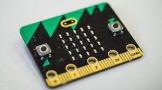
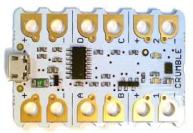
2. Crumble – the Crumble is one of the most versatile microcontroller boards around in my opinion. I regularly see tweets showing how this device has been integrated into many different primary school topics. The Crumble is programmed using blocks of code which removes the possibility of syntax errors and makes it ideal for primary school learners.
3. Lego WeDo – this is a construction kit which uses Lego bricks and electronic components to make models. There is a published STEM curriculum to link computing and science topics together. 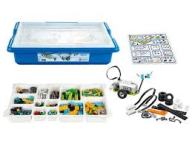
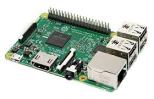
4. Raspberry Pi – unlike most other devices in this list, the Raspberry Pi has a microprocessor which means it is a computer in its own right and doesn’t need to be connected to a laptop, PC or iPad to programme it. The GPIO (General Purpose Input and Output) pins are a flexible and powerful way to connect all kinds of devices like buzzers, motors and LEDs.
5. Sphero SPRK+ – the Sphero is a floor robot which can be programmed using an app and a tablet, laptop or PC. The setup time to use this device is minimal, which maximises the use of lesson time for learning and there are a set of activities available to use in the classroom.

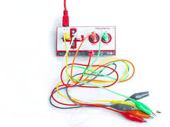
6. = Makey Makey, CodeBug – the Makey Makey mimics a keyboard and mouse so that learners can control computer programs using all kinds of everyday objects such as play dough or fruit.
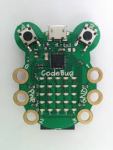
The CodeBug is unique amongst the devices in this list, as it is the only one which is described specifically for wearable projects. Combining physical computing with textiles is a really creative way to inspire more pupils to see computer science as relevant to their world.
8. Lego Mindstorms – this is another construction kit from Lego, designed to build a set number of different types of robot using Lego bricks, sensors and controllers. 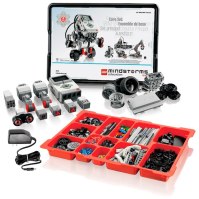
9. SAM Labs – another type of construction kit, SAM Labs also comes with a suggested curriculum and can be controlled by creating a flow diagram or by programming using blocks of code. 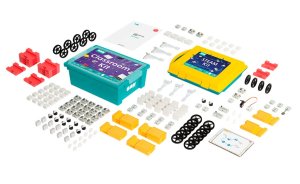
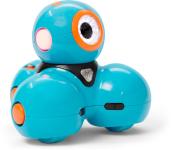
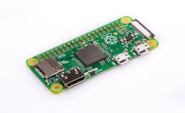
10. = Ozobot, Dash, Raspberry Pi Zero – finally, we have two more programmable robot toys, Ozobot and Dash, and then possibly the most affordable computer ever, the Raspberry Pi Zero. These three devices appeared in just 6% of plans.

Of course, this is a very small sample of the thousands of primary teachers across England. All the teachers in the sample made use of online communities such as forums or social media, which suggests that they are more tech-savvy and more likely to be open to using physical computing devices in their lessons. Using physical computing in the classroom is a rapidly-growing area of pedagogy and the chance to have a look and see what other teachers are using can help to decide what to purchase, borrow or fundraise for in primary schools.
This survey was completed in November 2018, before the launch of Scratch 3. I’m interested in how the extensions in Scratch 3 will influence the choice of devices in the future. With connectivity for four of the top eight devices already in place, will these become more popular? Or will teachers prefer to use a Crumble or a Sphero SPRK+ to give pupils exposure to different programming environments?

Finally, it’s really encouraging to see many affordable devices in the top 10. The lower the cost of a piece of hardware, the more likely it is that schools will be able to afford a class set so that all pupils can design, create, take part in open-ended tasks and most importantly, learn more about computer science.
 CSEd PhD